The Substrate Series · 06 — Concrete pattern
A Raspberry Pi gateway gives you most of what an enterprise BMC does, for 1/10th the cost — and some things a BMC can't.
What a management plane is
A management plane is the part of a system you reach when the system itself is broken. Server-grade hardware has it built in: a BMC (Baseboard Management Controller) sits on the motherboard, listens on its own NIC, and exposes power control, console access, hardware sensors, and remote media even when the OS is dead, the BIOS is in setup, or the main NIC is unplugged. It runs on its own tiny processor with its own power rail, and it doesn't depend on anything the box is doing.
Datacenter operators take this for granted. Independent operators, and most of the consumer-PC industry, do not. Consumer motherboards don't have a BMC. Workstation boards sometimes do; gaming and prosumer boards almost never do.
This post is about how to build a management plane out of $35 of off-the-shelf parts that gives you 80% of what a $300 BMC card gives you, plus some things a BMC can't do, plus a second, complementary hardware management layer for the case where the BMC option is available.
The two pieces of the actual MirrorEthic management plane:
- Picontrol — a Raspberry Pi Zero 2 WH wired into the rack as a software management gateway. Tailscale, Cockpit, ntfy, a
mesh_monitor.pysystemd unit, and an SSH key topology that lets it reach everything else. - ASMB8-iKVM — the IPMI/BMC on the incoming ASUS X99-WS/IPMI board. Hardware power control, KVM over IP, virtual media, sensors.
They complement each other. Neither replaces the other. The post walks through what each does, why the picontrol architecture is the way it is, and why you want both layers if you can.
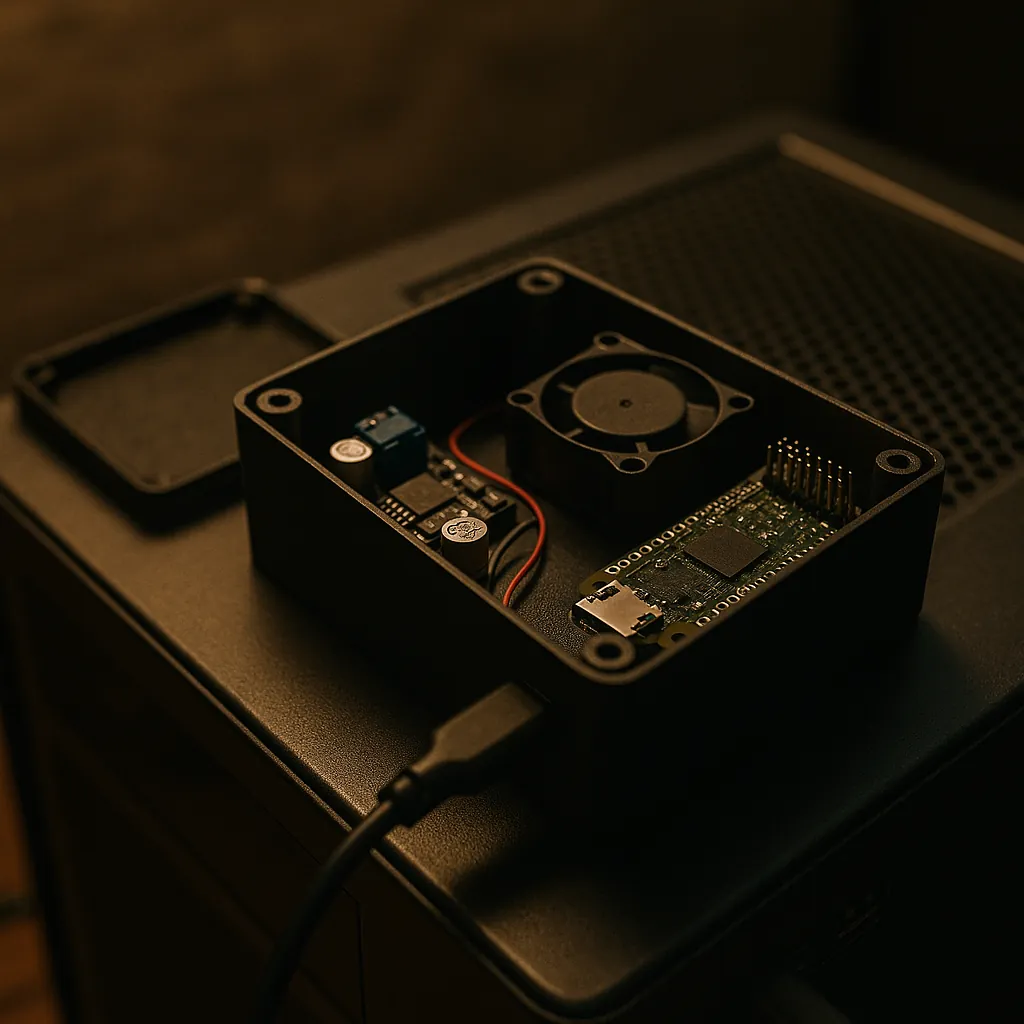
Picontrol: the parts list
Board: Raspberry Pi Zero 2 WH ("H" = pre-soldered GPIO headers). 1 GHz quad-core ARM, 512 MB RAM, Wi-Fi, Bluetooth. New: about $18.
Storage: 32 GB Class 10 microSD. About $8.
Network: Wi-Fi on board, plus a single USB-A port that doubles as USB gadget. No additional NIC needed.
Power: a 12 V → 5 V 15 A buck converter, a barrel-jack pigtail, a small 5 V blower-style fan for case pressurization, and a small ABS project enclosure to hold all of it. About $10–12 of parts.
Cabling and connectors: JST connectors, a USB-A-to-USB-micro pigtail for the USB gadget link, miscellaneous wire. Round it to $5.
Total BOM: the title says "$35 of parts." That figure assumes you have an enclosure, JST connectors, and odd cabling already in a parts bin — true after a build or two of this kind. From scratch on Amazon, ordering every line item new, it lands closer to $45. The substantive number is "under $50"; "$35" is the marketable version of "after the first build, the parts bin pays for the next one."
For comparison, an entry-level enterprise BMC add-in card (an ASRock Rack PAUL, an ASPEED AST2500-based module, or a used IPMI Mezzanine) is $150–300 if your board supports one. Most consumer boards don't.
What picontrol actually runs
Cockpit. A web management interface (port 9090 by default) that exposes filesystem, process, service, network, and storage views over HTTP. Reached at https://picontrol.tail7f3a91.ts.net/ over Tailscale. Pre-shipped in most distributions; one apt install cockpit and you have a remote-management UI that does most of what htop plus systemctl plus nmcli plus journalctl would, in a browser, from anywhere.
ntfy. A self-hosted push notification server. Picontrol publishes to a topic (mirrorforge-alerts); any device subscribed via the ntfy mobile app or browser receives push notifications in real time. Critical thermal events, training crashes, disk-full warnings — anything mesh_monitor.py flags goes here. The phone in your pocket becomes a passive ops dashboard.
Tailscale. Picontrol joins the tailnet as picontrol.tail7f3a91.ts.net (Tailscale IP 100.101.17.42) and advertises a subnet route for 192.168.50.0/24 — the entire home LAN. The consequence: every machine on the home LAN is reachable from any device logged into Tailscale, anywhere in the world, with no port forwarding, no DDNS, no firewall holes. Picontrol becomes the only thing the outside world needs to reach to reach the mesh.
mesh_monitor.py. A small systemd service running in a loop:
- Pings all four mesh nodes every 30 seconds (MirrorForge, Legion, ASUS, Orin).
- Polls GPU temperatures on MirrorForge and Legion every 60 seconds.
- Walks disk usage and looks for training-process crashes every 5 minutes.
- Thresholds: GPU warn 80 °C / critical 90 °C, disk warn 90%.
- Any threshold trip publishes to ntfy.
SSH key topology. root@picontrol has SSH keys that authorize directly into garret@mirrorforge and garret-sutherland@legion. Picontrol is a genuinely privileged box — when the monitor sees something wrong, it can reach in and do something about it, not just complain.
The total "code" surface here is a few hundred lines of Python plus a handful of systemd unit files. The infrastructure layer is open-source standard parts (Tailscale, Cockpit, ntfy). The lift to build it from scratch is roughly an afternoon.

Why the architecture is what it is
If I were starting from a clean slate, I might assume a Pi Zero 2 WH with Wi-Fi would just sit on the home LAN, get an IP via DHCP, and be reachable. That's not how it works in practice.
The Pi Zero 2 WH's Wi-Fi chip (Broadcom brcmfmac driver) has a documented failure mode on weak APs: after the link disassociates once, NetworkManager silently stops retrying despite autoconnect=yes, retries=-1. The symptom is wlan0 NO-CARRIER, wpa_state=DISCONNECTED, no journal events, the device looks fine, and there's no log entry suggesting it should retry. Running nmcli c up CenturyLink5927 from a serial console works instantly. Trusting Wi-Fi as the primary path means accepting that the management plane will randomly disappear and you won't know why.
The solution is to not trust Wi-Fi as the primary path. Picontrol's Wi-Fi (wlan0) is configured as a fallback only, with a high route metric (600). The primary uplink is something else entirely.
The USB gadget piggyback. Picontrol's USB-A port is configured as a USB Ethernet gadget (g_ether). The other end of the cable plugs into MirrorForge. MirrorForge sees the connection as a regular Ethernet interface (enx664aa1c042d2), on the dedicated 10.40.30.0/30 link the rest of the series uses for this kind of point-to-point pair — MirrorForge at 10.40.30.1, picontrol at 10.40.30.2. NetworkManager on MirrorForge runs the link in "shared" mode — DHCP for the Pi end, MASQUERADE NAT from 10.40.30.0/30 out to the LAN-side eno1, IP forwarding enabled, dnsmasq giving picontrol a reservation pinned to its MAC.
The net result: picontrol's internet flows over USB, through MirrorForge, out to the LAN, out to the WAN. No Wi-Fi involved. As long as MirrorForge is powered, picontrol has a network. When the USB link is down, Wi-Fi takes over silently. When both are down — which has never happened in practice — Tailscale's direct-connect attempts can still establish if either end has any path to the tailnet.
This is the post's central operational lesson. Design from the failure modes you actually see, not from the reference architecture diagram. The Wi-Fi-as-primary diagram is what a tutorial would draw. The USB-gadget-as-primary architecture is what the failure modes I actually experienced drove me to build.
The power-domain fractal
Picontrol's power is itself a small case study in the separation-of-concerns pattern post 04 covered.
The Pi can't run from USB-port power under sustained load — it browns out. Dual-powering it from both micro-USB ports crashes it. So picontrol gets a dedicated 5 V rail, but the rail itself is derived from MirrorForge's 12 V fan header through a buck converter inside picontrol's own small enclosure. A 12 V → 5 V 15 A buck is overspec'd for the Pi (which draws maybe 1.5 A peak) — the headroom feeds a small 5 V blower fan that pressurizes picontrol's enclosure, mirroring the positive-pressure airflow of the MirrorForge case at SBC scale.
What you end up with: picontrol lives inside a small pressurized box with its own regulated rail, its own cooling, its own network path, all tied physically to MirrorForge but architecturally independent of it. When MirrorForge is up, picontrol is up. When MirrorForge crashes but stays powered, picontrol stays alive on the same fan header and can observe the crash. When the entire rack loses mains, the UPS keeps both alive for the shutdown window.
What IPMI does that picontrol can't
The incoming ASUS X99-WS/IPMI motherboard ships with an ASMB8-iKVM controller. This is hardware management plane — a separate ARM chip on the board, with its own NIC, its own power, and its own firmware, that runs whether the OS exists or not.
What it does that picontrol can't:
- True hardware power control. Picontrol can SSH into MirrorForge and
systemctl poweroff. ASMB8 can drive the actual power button via IPMI command — power on a dead box, power-cycle a hung box, reset a stuck POST. - KVM over IP. Picontrol shows you logs and metrics. ASMB8 shows you the actual monitor output and accepts keyboard and mouse, during POST and BIOS. You can change BIOS settings remotely. You can rescue a box that won't boot the OS.
- Virtual media. ASMB8 can mount an ISO over the network and present it to the host as a USB CD-ROM, so you can install or rescue an OS without physical media or being on-site.
- OS-independent sensors. ASMB8 reads voltages, temperatures, fan speeds via its own bus. Even on a powered-off box, it can report whether the standby rail is healthy and whether the temperatures are sane.
These are all things only a hardware management controller can do, because they all require interacting with the machine as hardware rather than as a running OS.
What picontrol does that IPMI can't
The reverse list is just as important.
- Arbitrary scripting. Picontrol runs a full Linux. Anything that's expressible as a bash script or a Python service can run on it — custom monitors, glue between APIs, scheduled jobs, ntfy publish loops. IPMI exposes a fixed protocol surface and that's it.
- Mesh integration. Picontrol is a member of the Tailscale mesh and a first-class node in the mesh's cross-node coordination fabric — the same orchestration layer the compute nodes use to hand work to each other (posts 07–09 cover this layer's capabilities and endpoints). IPMI is an island; it talks IPMI and nothing else.
- Software updates without firmware flashes. Picontrol's behavior evolves with
apt upgrade. IPMI evolves only with motherboard BIOS / BMC firmware updates, which are rare, slow, and risky. - Custom integration with the rest of the tooling. Picontrol's
mesh_monitor.pypublishes to ntfy, writes to the same registry directories the compute nodes use, and authenticates against the same SSH key infrastructure. IPMI is its own world. - Cost on boards that don't have BMCs. Most consumer boards don't have IPMI. The Pi gateway pattern works regardless of what board the compute node is on, which makes it the general-purpose solution. IPMI is the specialized add-on for the case where the board supports it.
The two lists are complementary, not competing. Hardware power and console access on one side, arbitrary scripting and mesh integration on the other.
Defense in depth on the management plane
The combined architecture, with both layers running:
| Failure | Picontrol can handle | IPMI can handle |
|---|---|---|
| Service crash on MirrorForge | yes (SSH + restart) | no |
| MirrorForge OS hang | no (SSH dies) | yes (hardware reset) |
| MirrorForge won't POST | no | yes (BIOS-level KVM) |
| Need to swap a kernel via custom script | yes | no |
| Need to install OS without on-site media | no | yes (virtual media) |
| Temperature alert during long training | yes (ntfy push) | yes (sensor alert) |
| Picontrol itself goes down | n/a | yes (independent NIC) |
| ASMB8 BMC firmware update goes wrong | yes (SSH still works) | n/a |
Every row in that table is a real failure mode somebody has hit. The architectures cover different rows. Both layers running together is genuinely more robust than either alone.
The cost of running both is roughly $35 for picontrol plus $0 incremental for IPMI (it's included free on the X99-WS/IPMI board you bought for compute reasons anyway). The cost of running neither is a 3 AM drive to the rack to push a button.
The headless console pattern
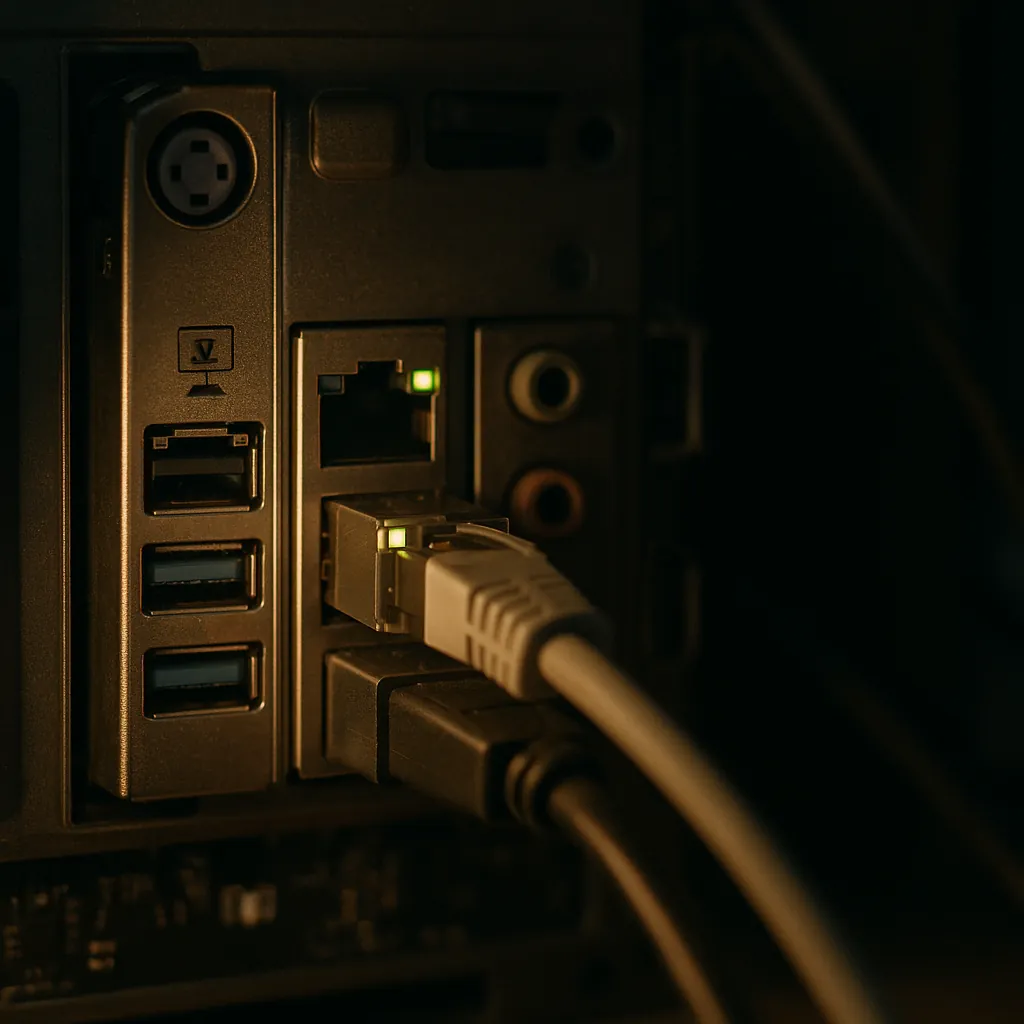
One more piece worth naming. MirrorForge, Orin, and Pi5 are all headless boxes that occasionally need a real display — installing an OS for the first time, debugging a BIOS, watching a kernel panic too fast to log. Buying three monitors is wasteful. Buying nothing means you can't see the panic.
The pattern: an Acer 5-in-1-out HDMI switch fed by all three headless boxes, with one shared monitor connected to the output. Cost: about $30. Almost all of the time the switch sits unused. When something is wrong with a headless box badly enough that you need to see its screen, you flip the switch, watch the screen, fix the problem, and flip back. Three boxes share one monitor at the cost of one HDMI switch, and the marginal cost of adding a fourth headless box is one cable.
This is the same shape as everything else in the series: shared infrastructure where it doesn't matter, separated infrastructure where it does, and the discipline to know which is which.
What this buys you
The management plane is the only part of the system you have to be able to trust unconditionally — because by definition, it's the part you reach when nothing else is working. The architecture above gives you:
- Two independent paths to reach any compute box, with complementary capabilities.
- A reachability surface that survives Wi-Fi flapping, OS crashes, and individual component failures.
- Push notifications to your phone for thermal, disk, and crash events.
- Remote BIOS and POST visibility through ASMB8 IPMI.
- Arbitrary scripted automation through picontrol.
- All of this for about $35 of parts on the software side and zero incremental cost on the hardware side, because the IPMI was a "free" capability of a board you wanted for other reasons.
Most operators discover they need a management plane the first time they're 200 miles from a frozen machine. The architecture above means you can be 200 miles away and still be the operator — which is the whole point of building infrastructure rather than just owning hardware.
Next: post 07, "The mesh that diagnoses itself" — Tailscale as membership, tmux-everywhere, and the two-layer security model that makes the mesh survive failures that take down hub-and-spoke setups.